
Free calculators. No account.
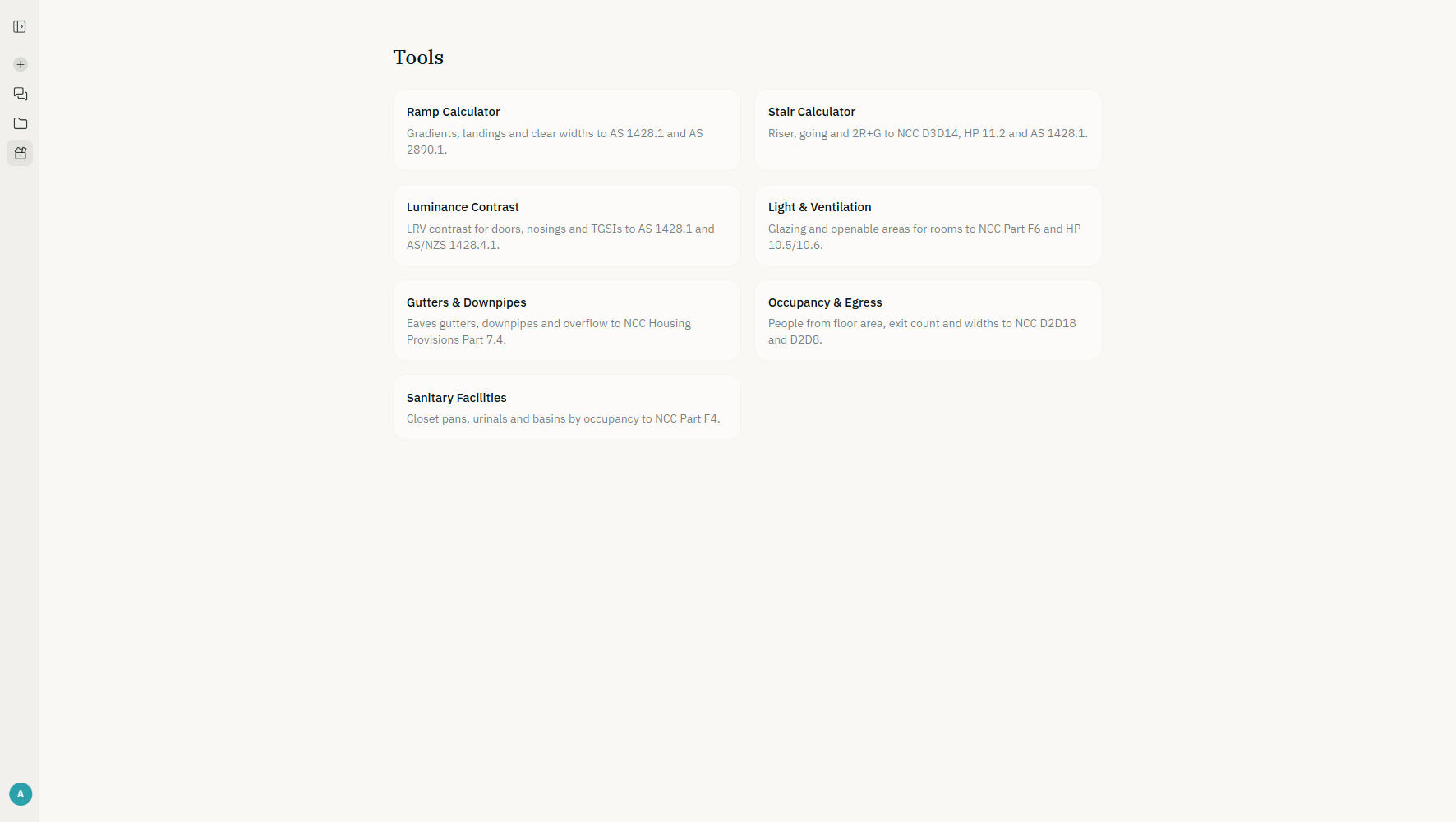
The stair, ramp, occupancy and exits, light and ventilation and sanitary facilities calculators to NCC 2025, and the drainage and water calculators to AS/NZS 3500.3:2025 and AS/NZS 3500.1:2025, run right on this site; the other NCC 2025 instruments run in the app. The same inputs always give the same result. No model in the loop.
Roof drainage, stormwater and water supply
The calculators apply AS/NZS 3500.3:2025 and 3500.1:2025, the Standards NCC 2025 calls up for drainage and water supply, and say so plainly where a check goes beyond them. Each draws the section it sizes and shows the working with the clause, table or figure behind every step.
How they fit together, and which to use when: the guide to roof and stormwater drainage to AS/NZS 3500.3.
Roof drainage
Catchments, eaves gutters, downpipes, overflow, valleys, spreaders, charged downpipes and balconies.
Roof catchment area calculator
Roof catchment area to AS/NZS 3500.3:2025 Clause 3.4: slope factor, walls above the gutter, two roofs and any layout, with the flow at 5% and 1% AEP.
Eaves gutter and downpipe calculator
Size eaves gutters and downpipes to AS/NZS 3500.3:2025 or the NCC 2025 Housing Provisions tables: gutter size, internal downpipe size, downpipes per roof.
Eaves gutter overflow calculator
Check eaves gutter overflow at 1% AEP: Housing Provisions 7.4.4 to 7.4.7 measures, or AS/NZS 3500.3:2025 Appendix F back gaps, slots and front beads.
Long eaves gutter calculator
Capacity of a long straight eaves gutter by spatially varied flow (Beij; Chow), set beside AS/NZS 3500.3 Figure 3.5.5 where the chart covers it.
Valley gutter calculator
Valley gutter width, depth and sheet size to AS/NZS 3500.3:2025 (incl. Amd 1:2026) Table 3.6.2 and Figure 3.6.2, or Housing Provisions Table 7.4.4c.
Downpipe spreader calculator
Discharge an upper roof onto a lower one to AS/NZS 3500.3:2025 Clause 3.4.5: the combined flow, the lower gutter and downpipe, and the sarking rules.
Balcony, terrace and flat roof drainage calculator
Balcony, terrace and flat roof outlets and overflows to AS/NZS 3500.3:2025 Clause 3.8, with the NCC 2025 F1D4 fall, step down, hob and overflow level.
Charged downpipe calculator
Check a charged downpipe line to a rainwater tank: the head each downpipe needs against its height above the tank inlet, DN 65 to 300, Section 11 rules.
Box gutters
Box gutters with rainheads, side overflows and high-capacity overflows, sized by Appendix H.
Box gutter calculator
Box gutter and rainhead sizing to AS/NZS 3500.3:2025 Appendix H: gutter depth by flow, width and grade (Figure H.1), rainhead depth and length (H.3).
Box gutter sump and side overflow calculator
Size a box gutter sump with a side overflow to AS/NZS 3500.3:2025 Figure 3.7.4(B): sump depth, overflow channel and the gutter depth the overflow needs.
Box gutter high-capacity overflow calculator
Size a box gutter sump with a high-capacity overflow to AS/NZS 3500.3:2025 Figure 3.7.4(C): weir height, gutter depth and a sump at least 150 mm deep.
Box gutter vertical overflow check
Vertical piped overflows in box gutter sumps are outside AS/NZS 3500.3:2025 (Clause 3.7.7.2 Note 3). Check one for a Performance Solution.
Site stormwater
Pipes, networks, overland flow, pits, detention and pump-outs.
Stormwater pipe size calculator
Size a site stormwater pipe to AS/NZS 3500.3:2025: design flow, Figure 5.4.11.2 capacity, the 2.0 m/s limit, minimum sizes, grades and cover.
Stormwater network calculator
Size a branching site stormwater network to AS/NZS 3500.3:2025 Appendix J: flow, pipe size, grade, cover, inverts, pits and grates, pipe by pipe.
Overland flow path calculator
Depth, velocity and flood hazard of an overland flow path or open channel by Manning's equation (AS/NZS 3500.3:2025 Eq 5.4.9), with the 300 mm floor check.
Grated inlet pit and surcharge outlet calculator
Sag and on-grade pit inlet capacity (AS/NZS 3500.3:2025 Eq 5.4.10.1, Clause 5.4.10.2), surcharge outlet grate area A = Q/150 and minimum pit size.
On-site detention calculator
On-site detention storage by the modified rational method or the council's rate per hectare, one or two orifices, and the AS/NZS 3500.3 Clause 7.10 rules.
Stormwater pump-out calculator
Size a stormwater pump-out to AS/NZS 3500.3:2025 Section 8: the 10% AEP 2-hour storm, duplicate pumps, the wet well and Figure K.1's start–stop band.
Water supply
Cold water pipe sizing to AS/NZS 3500.1.
Water pipe size calculator
Size a cold water pipe to AS/NZS 3500.1:2025: Table 3.2.3 demand for dwellings, loading units for branches, Table C.1 sizes, 3.0 m/s and 50 kPa.
NCC instruments
Each one answers a question that comes up on most jobs, against the provision that governs it. Every table is checked against NCC 2025 or the Standard it calls up.
Stair calculator
Riser, going and 2R+G against NCC 2025 D3D14, Housing Provisions 11.2 and AS 1428.1:2021.
Open the calculatorRamp calculator
Gradient, landings and handrails against NCC 2025 and AS 1428.1:2021; driveways to AS/NZS 2890.1.
Open the calculatorLuminance contrast
The luminance contrast check between adjoining surfaces, to AS 1428.1:2021, AS/NZS 1428.4.1:2009 and NCC 2025 Specification 15.
Open the calculatorLight and ventilation
Natural light and ventilation areas under NCC 2025 Volume One Part F6 and Housing Provisions 10.5 and 10.6.
Open the calculatorOccupancy and exits
Occupant numbers from NCC 2025 Table D2D18, exit widths and travel distances.
Open the calculatorSanitary facilities
Pan, basin and accessible counts for every class, from the NCC 2025 F4D4 tables.
Open the calculatorGutters and downpipes (Housing Provisions 7.4)
Eaves gutter type, downpipes and overflow from the NCC 2025 Housing Provisions Part 7.4 tables, for Class 1 and 10 buildings outside Victoria.
Open the calculator
How a result reads
Inputs, then a drawing
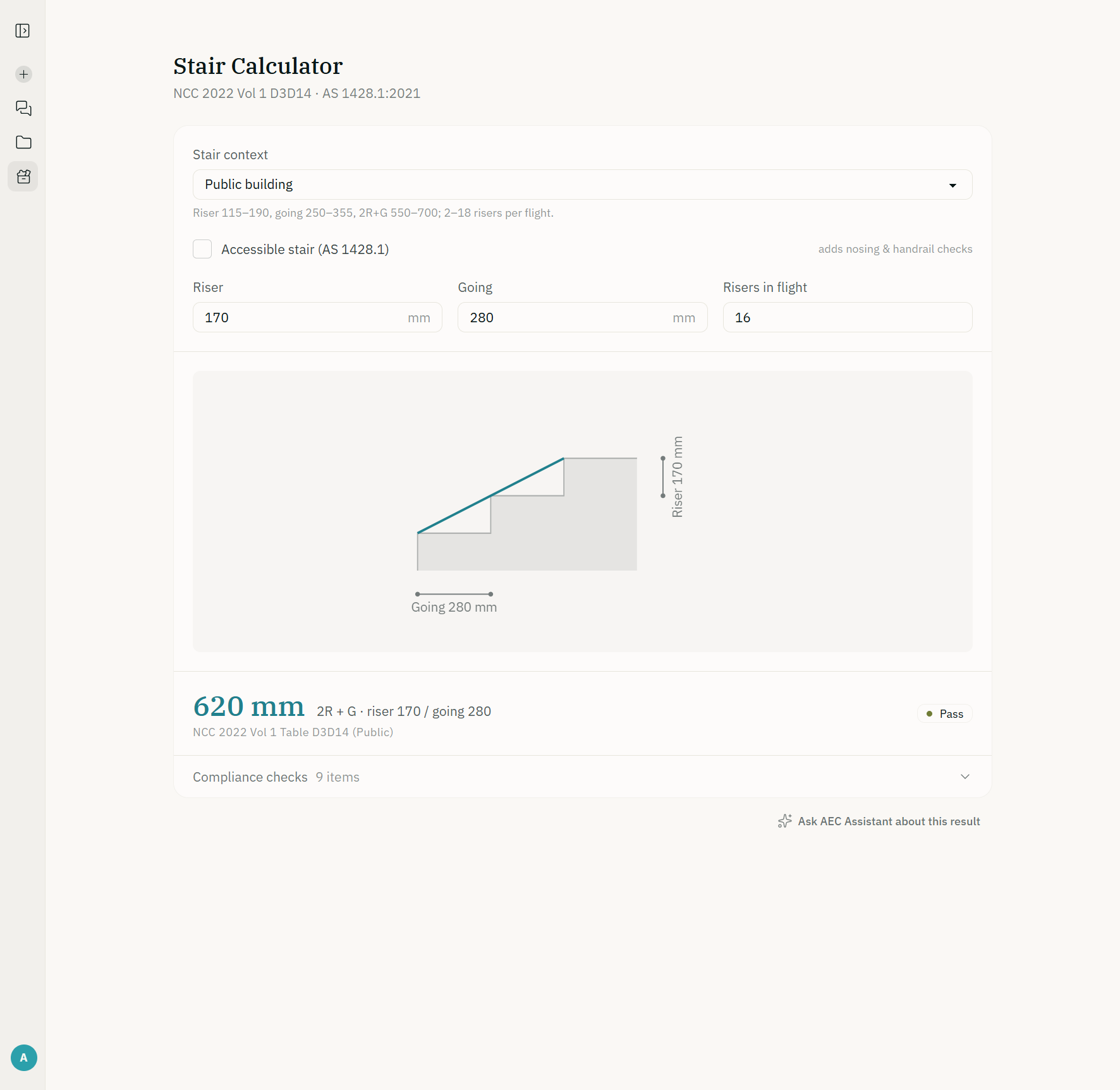
Type the riser, the going, the width or the floor area and the diagram redraws as you go. The inputs sit in the address bar too, so a result can be sent as a link and opens exactly as you left it.
A verdict line
One sentence says whether the design complies and, when it does not, which limit it fails and by how much. There is no model in the loop: the same inputs always give the same answer.
A receipt that names its table
Below the verdict, every check and every step of the working names the table, clause or figure it was read from, so the result can be checked against the source. In the app, one button hands the result to the assistant to talk through what it means for your project. On the calculators that run on this site, Ask AEC Assistant opens your calculation in the app, signed in, ready to hand to the assistant with that one press, and Get the report opens it there for its calculation report, exported with a free account.
Ask it the question you were about to look up
Free for the NCC, state legislation, ABCB handbooks and practice notes, with citations, and planning information for any address in Australia. No credit card.