AEC Assistant Update 4: Faster Answers, NCC 2025 by Default, Projects That Know Their Site
Update 4 is the biggest release since AEC Assistant launched. The platform has been rebuilt end to end: faster and more thorough answers, NCC 2025 answered by default in every state, projects that read your site from the address, sharing across your firm, an installable app, and seven free NCC calculators that need no account. This post walks through what changed, with screenshots, and what it means for the way you work.
The short version
Faster, more thorough answers. The assistant reads and understands documents better than it did, and it is much quicker about it: a 32-page architectural set that took about a minute and a half to read now takes about ten seconds, with the same answer at the end.
NCC 2025 is the default edition in every state and territory, with NCC 2022 one click away in the composer for New South Wales and Queensland work.
Projects now build themselves from the address: satellite view, lot area, council, zoning and overlays with links to the scheme, climate zone, and a planning report on one button.
Share a project with your firm as viewers or editors, or open it to everyone in your organisation. Share an answer with anyone through a public link.
Seven NCC calculators, free and open to everyone, no sign-in.
Install it on an iPhone, iPad, Android device or desktop.
1. Ask, and see the clause arrive

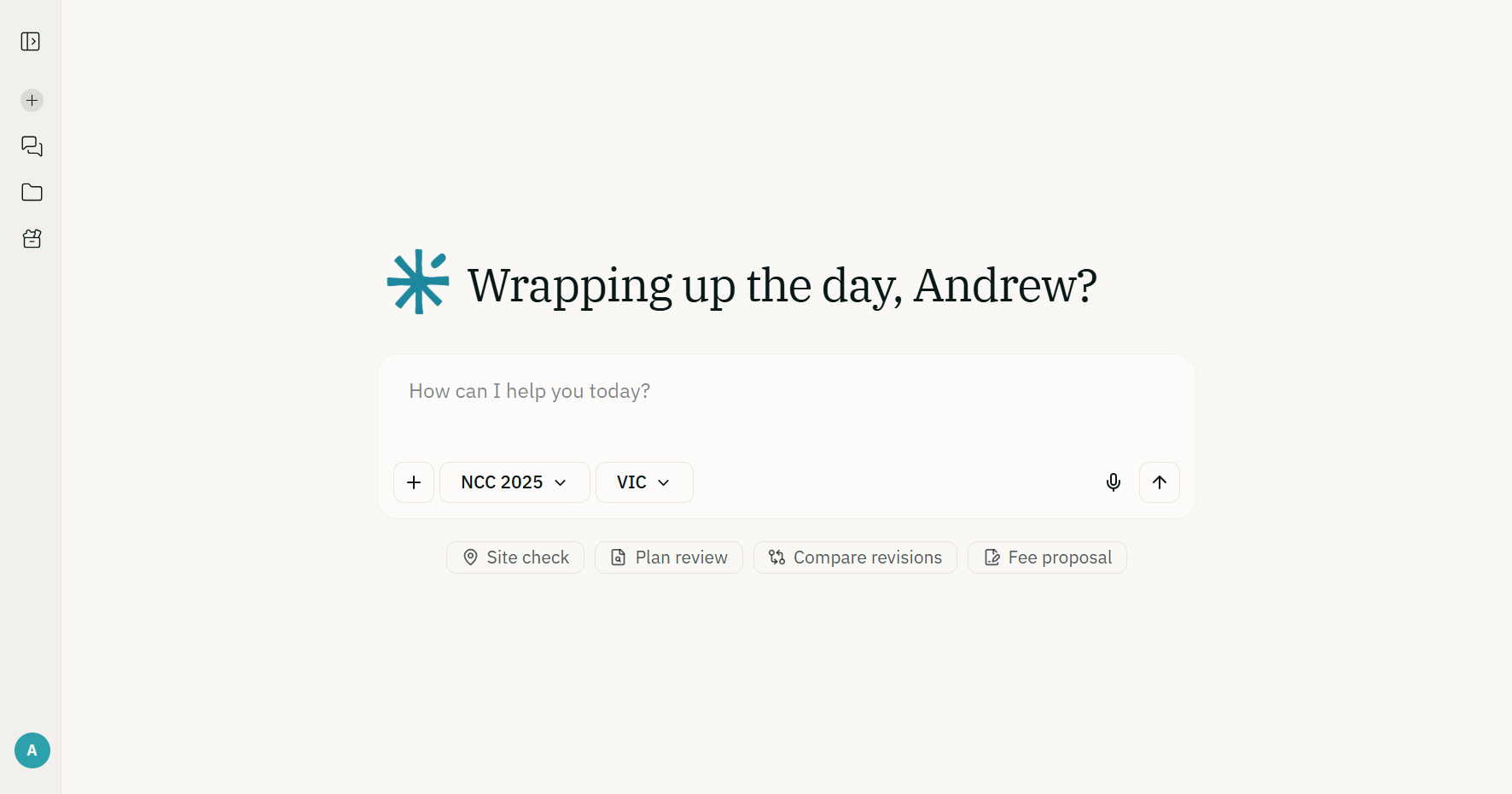
The home screen is a single question box with two controls that matter: the NCC edition and the state. Both are set for you from your profile and the active project, and both can be changed per question. Below the box are four guided actions. Site check, Plan review and Compare revisions walk you through a short intake and then run the full job in the background; Fee proposal does the same for a scope-and-fee letter, and it is available on the free plan.
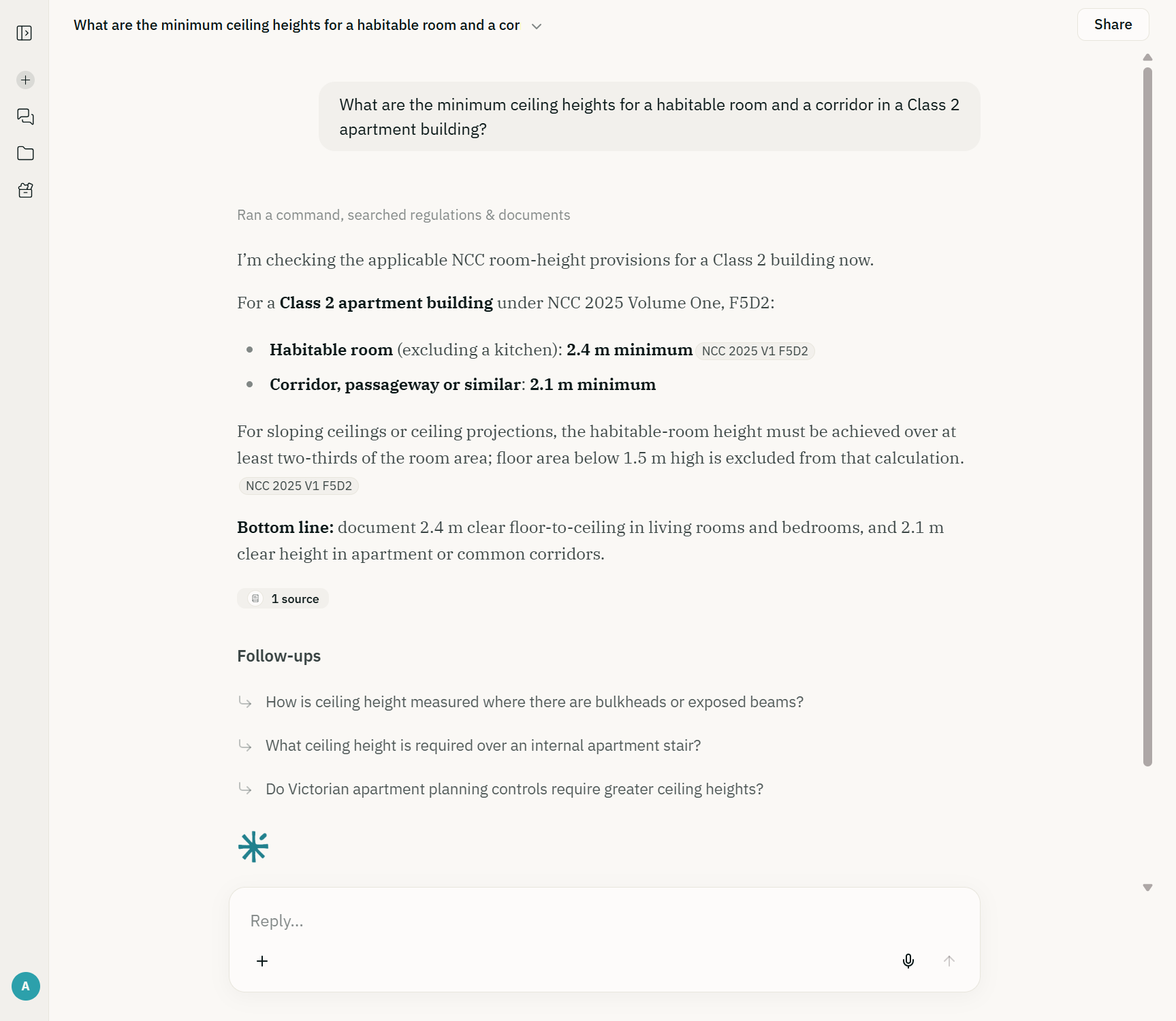
Answers now stream with their sources and reasoning as they arrive rather than at the end. Every claim carries a chip naming the edition, volume and clause it came from, so a "2.4 m habitable room, 2.1 m corridor" answer is checkable in one click against NCC 2025 Volume One F5D2. The assistant searches the full text of NCC 2025 and NCC 2022 and Australia-wide planning information on every plan, plus your own project documents when a project is active. On Plus and Max, answers also draw on deeper knowledge of the standards the code references. Follow-up questions are suggested under each answer.
The biggest change is one you feel rather than see. Long documents were the assistant's weak spot: a full drawing set took a minute and a half to read, and the answer sometimes missed a sheet. It now reads the same 32-page set in about ten seconds, reads all of it, and gives the same answer every time. Attachments can be larger too, up to 32 MB each and 50 MB in a single message, so a complete drawing set or a long planning report goes in as one file.
2. Projects that know where they are
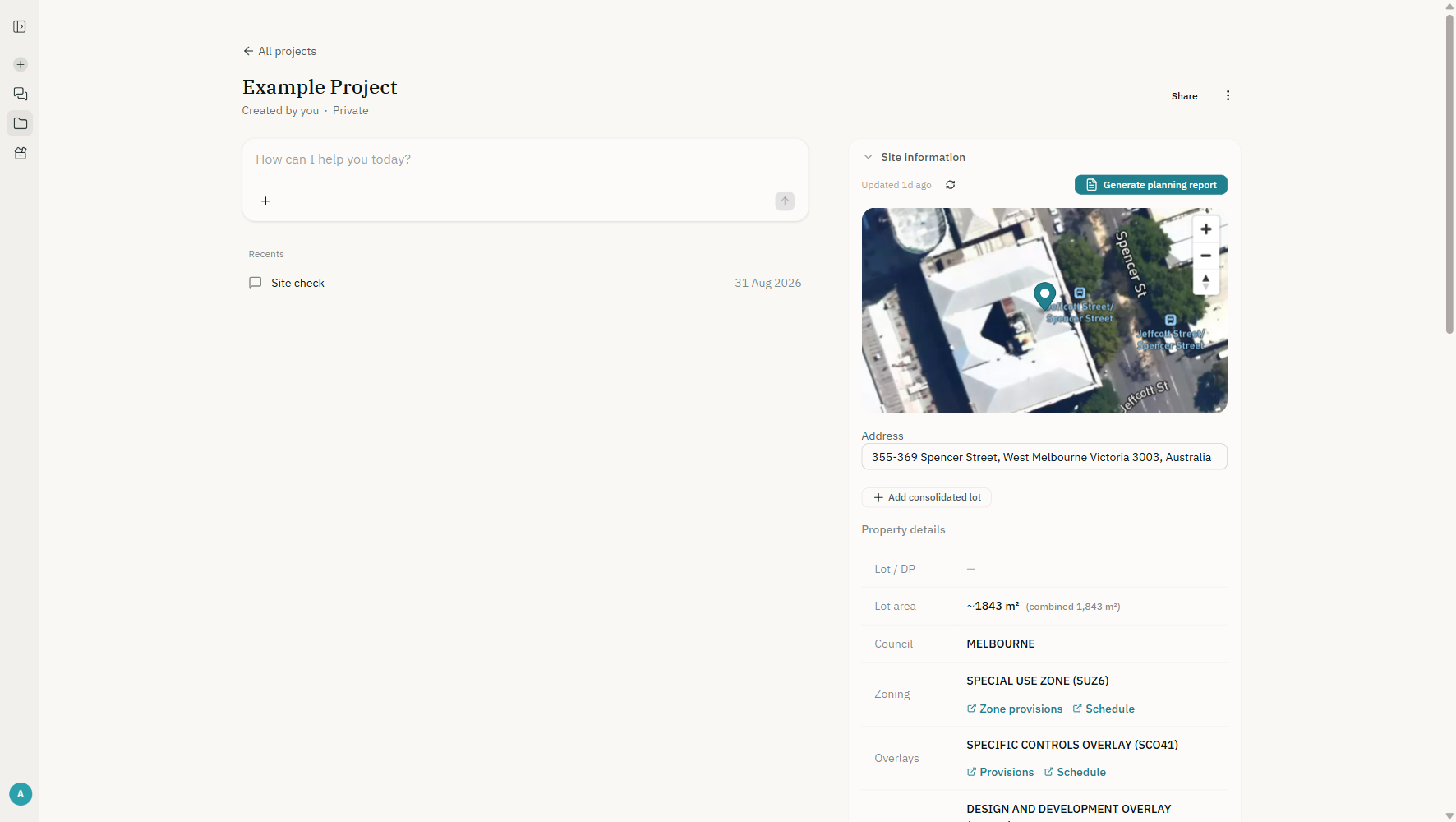
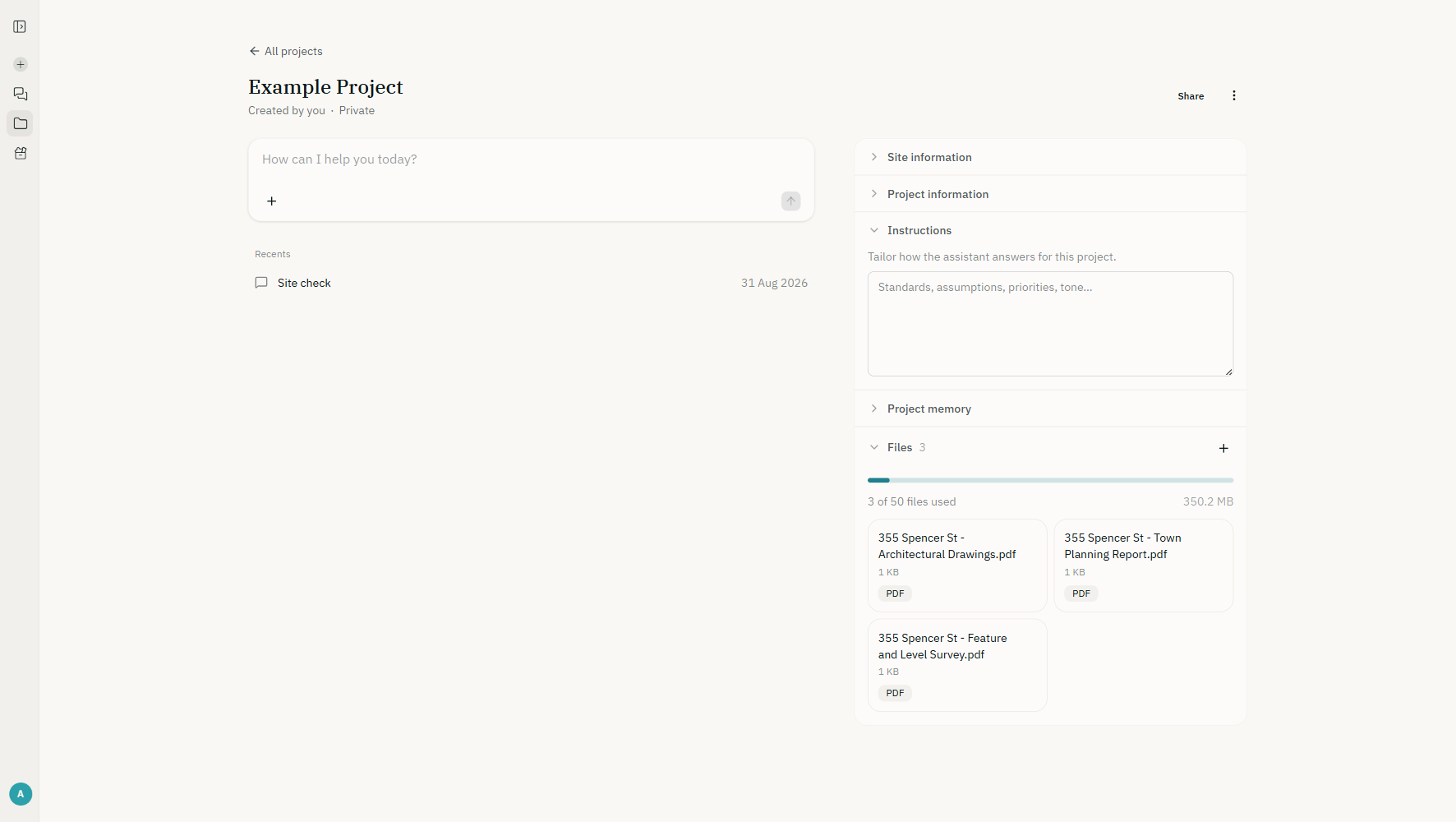
Type an address when you create a project and AEC Assistant fetches the site: a satellite view, the lot area, the council, the zone and every overlay, each linked to its provisions and schedule in the planning scheme. The NCC climate zone is set from the postcode. "Generate planning report" runs a full planning analysis of that site and saves the report back into the project's files. In the example above, a West Melbourne site returns its Special Use Zone, a Specific Controls Overlay and a Design and Development Overlay before a single document has been uploaded.
Each project carries three things the assistant reads on every question: the site information above, your instructions (standards to assume, priorities, tone), and project memory, a running note the assistant can update itself as decisions are made. There is a memory for you and one for your firm as well, so a preference stated once applies everywhere. Documents are uploaded directly into the project; drawings, reports and surveys are classified on the way in, and typing / in the composer points a question at a specific file. Plus projects hold 50 files, Max projects 100.
3. Sharing, inside the firm and outside it
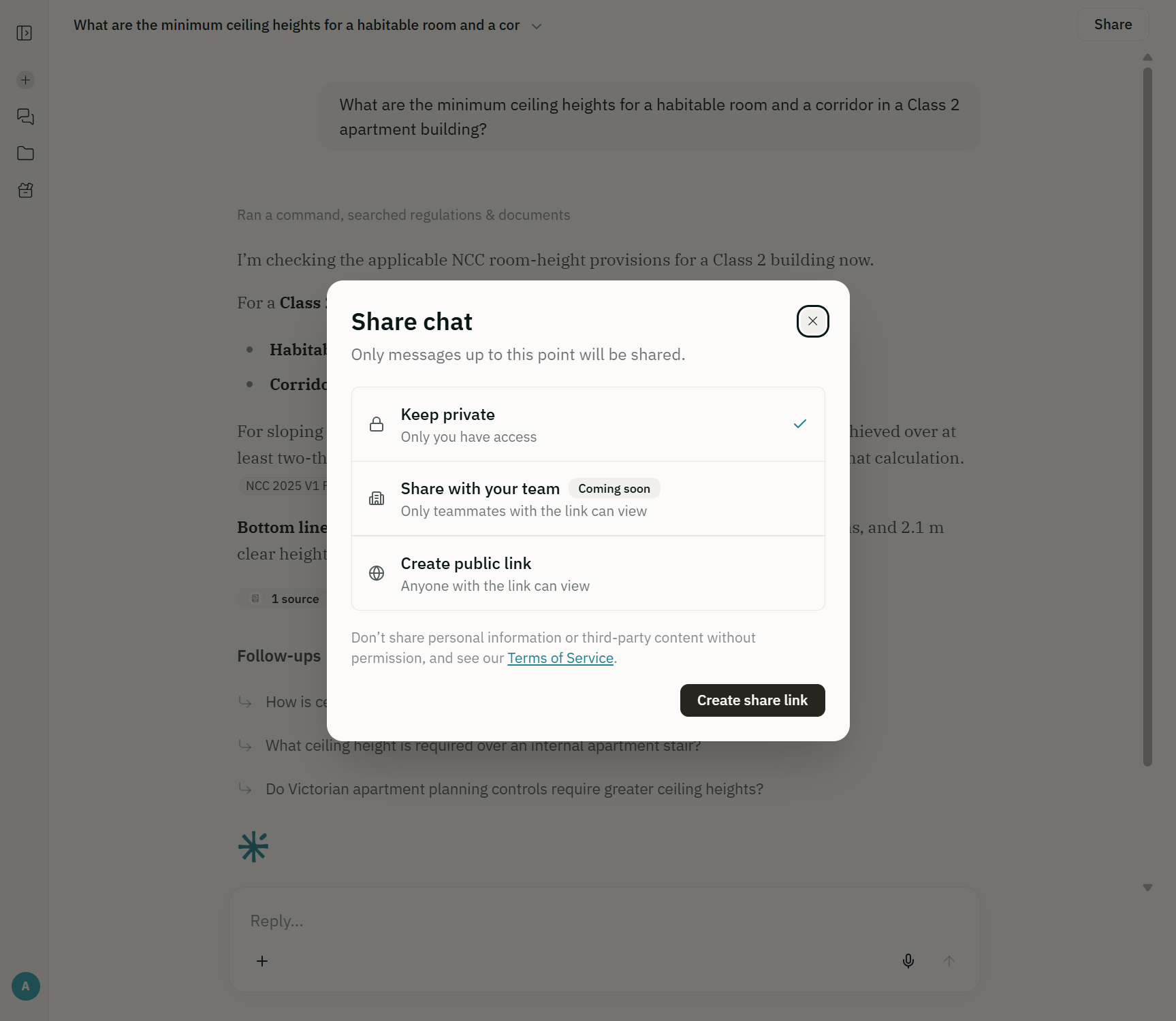
Two kinds of sharing arrived with this release. A project can be shared with named people from your firm as viewers or editors, or opened to everyone in your organisation; access follows the person, so leaving a team ends it straight away. And any conversation can be published as a public link for someone without an account: a client, a certifier, a consultant. The link carries the answer and its sources, sanitised at the moment you publish it.
4. Seven NCC calculators, free for everyone
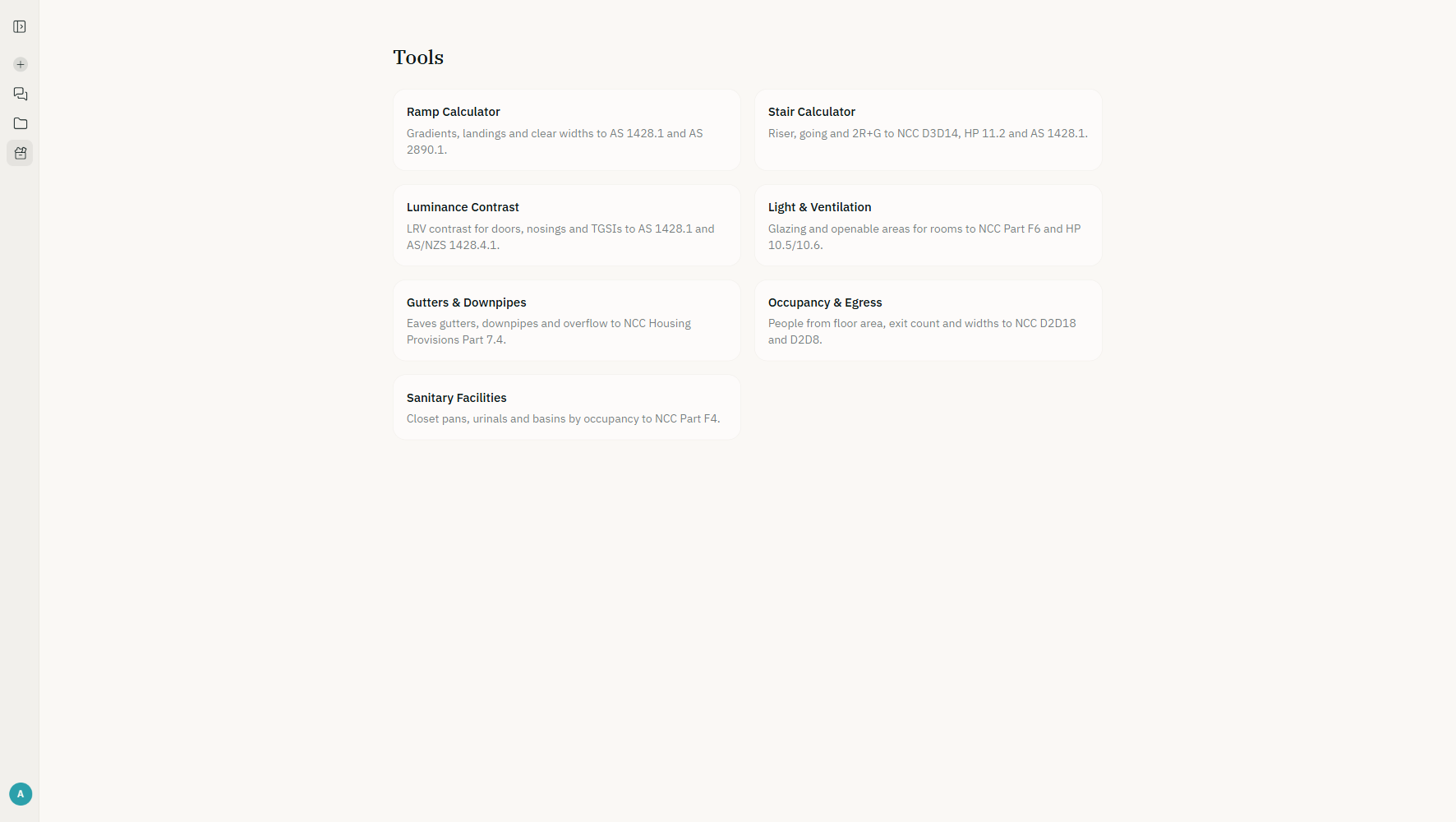
The Tools page holds seven deterministic calculators, each one an instrument that reads the relevant NCC or Australian Standard tables and shows the clause beside the verdict: ramps (AS 1428.1 and AS 2890.1), stairs (NCC D3D14, Housing Provisions 11.2, AS 1428.1), luminance contrast, light and ventilation (Part F6 and Housing Provisions 10.5 and 10.6), gutters and downpipes (Housing Provisions Part 7.4), occupancy and egress (D2D18 and D2D8), and sanitary facilities (Part F4). They are built to NCC 2022 Amendment 2 and say so on the page; the figures they check are unchanged in NCC 2025. Anyone can use them without an account at app.aecassistant.com.au/tools, and the "Ask AEC Assistant about this result" link hands the result to the assistant for the reasoning behind it.
5. Sign-in, accounts and the app
Signing in is simpler. You use a six-digit code sent to your email, or Google or Microsoft; there are no passwords to keep. Subscriptions, projects and documents were carried across; conversations from before 26 August were not, which is why your chat list started empty after the change. The app is installable: open it in Safari on an iPhone or iPad and choose "Add to Home Screen", or use the install prompt in Chrome or Edge, and it opens full-screen without the browser around it.
Usage limits have also changed shape. Instead of a monthly question count there is a rolling weekly allowance, so a heavy week is not held against a calendar and room frees up as older activity ages out. The account menu names the limit that applies and when it eases. Nothing counts questions any more.
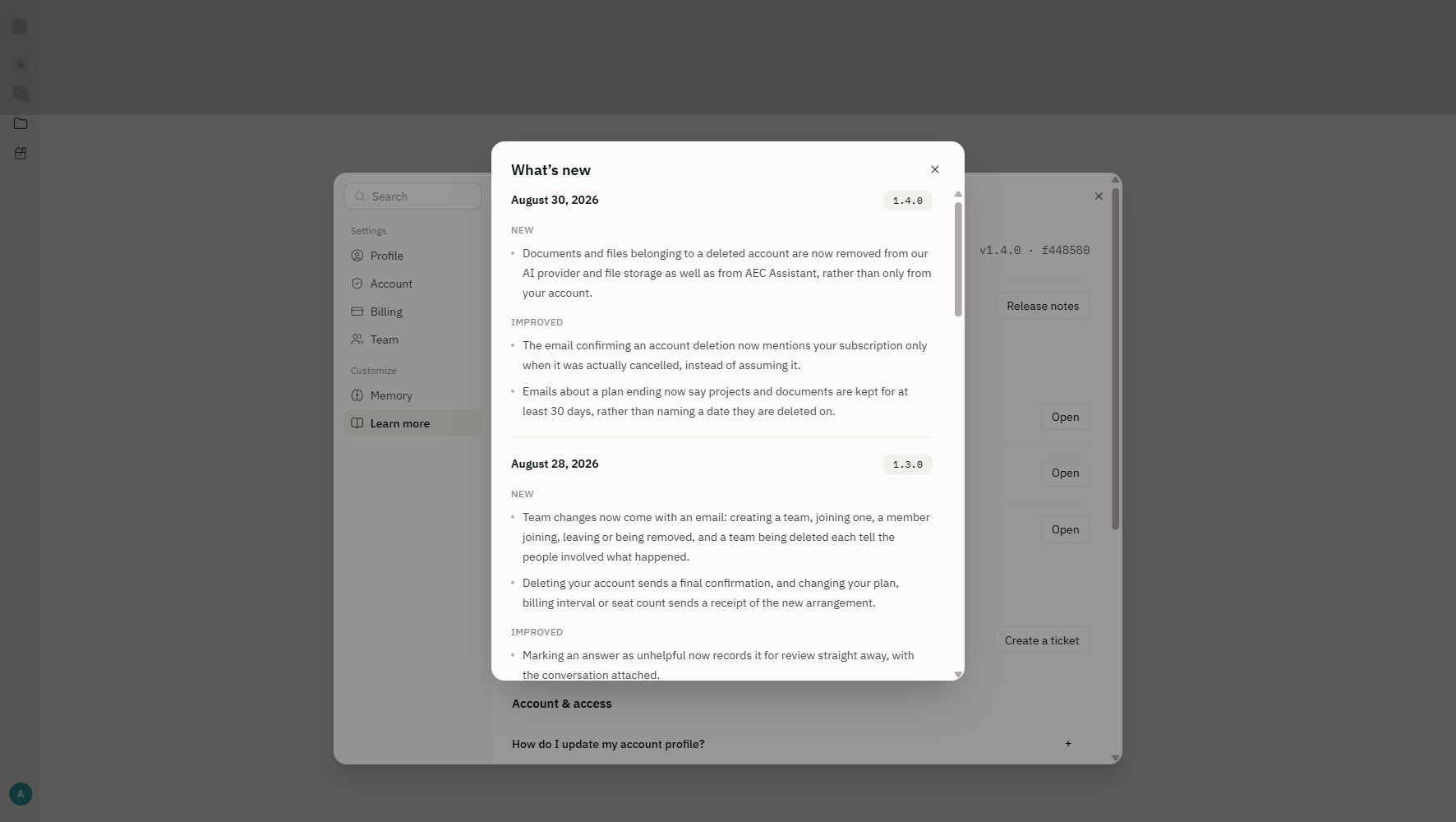
Every release now writes its own notes. Settings › Learn more › Release notes lists what changed and when, and there is a product-updates preference in Settings › Account if you would rather hear about new features by email.
6. What this means for a working day
A design review used to mean opening the NCC, finding the clause, checking the edition and the state variation, then re-reading the drawing set to see whether it complied. The combination in this release, an assistant that reads a full drawing set in seconds, sources on every claim, and a project that already knows its zone, overlays and documents, collapses that into a question. Ask "does the Level 1 corridor meet the ceiling height and travel distance requirements?" with the set uploaded, and the answer cites the clause, the sheet and the figure it read, and can be sent to the certifier as a link.
Plans, plainly
The free Core plan does the asking: NCC 2025 and NCC 2022 search with sources, planning information for every state and territory, the guided fee proposal, the calculators, and a weekly usage allowance. Plus and Max add deeper knowledge of the standards the code references, along with projects, document uploads, site information, memory, sharing and the other guided actions. Details and current pricing are on the pricing page.
Check it against the source
AEC Assistant searches the full text of NCC 2025 and NCC 2022 and Australia-wide planning information, resolves the edition in force for the state you are working in, and returns the clause that applies to your project with the source alongside it. Paid plans add deeper knowledge of the standards the code references. Try it free. No credit card.
Screenshots are from a demonstration project at 355-369 Spencer Street, West Melbourne, with sample documents. Timing figures are from our own measurements on the same 32-page drawing set before and after the change. Update 3 was published 4 June 2026; this update covers releases 1.0 to 1.4, 26 to 30 August 2026.